
Moors Betting App at a Glance
| Parameter | Details |
|---|---|
| App name | Moors Betting (MWOS) |
| Version | 3.2.2 |
| Size | 43 MB |
| File type | APK (Android) |
| Last update | 03/11/2026 |
| Platform | Android only; iPhone users open the mobile site or add it to the home screen |
| Price | Free |
Moors Betting on mobile
Free · Android · APK file
Table of contents
- Moors Betting App at a Glance
- Moors Betting on mobile
- MWOS Betting App Download APK for Android
- Install the APK in five steps
- Moors Betting on iPhone and iPad
- Add Moors Betting to the iPhone home screen
- Features in the Moors Betting App
- What the app offers
- What the app needs from your phone
- Checking that the file is genuine
- Using the app with a shop ticket
- App vs Mobile Site
- Updates, Old Versions and Mod Files
- Common Problems and Quick Fixes
- Final Word on the Moors Betting App
Moors Betting has gained popularity among players in Zimbabwe thanks to its convenient mobile app for sports betting and online casino. Many people know the brand as MWOS, short for Moors World of Sport, and search for it under both names. The MWOS betting app is currently available for Android devices only.
This page covers how to get the file, how to install it, what to do on an iPhone, and how to fix the usual problems. Everything starts from the official APK and nothing else.
MWOS Betting App Download APK for Android
The app is not listed in Google Play, so it comes as an APK file straight from the brand's website. That is normal for betting apps in the region. It also means the file is only as safe as the place you got it from.
Use the Download APK button on this page. The file is free. If a site asks for money, a survey or a card number before giving you the APK, close it.
How to install Moors Betting APK on Android
Install the APK in five steps
Download the file
Tap Download APK on this page and wait for the 43 MB file to finish. Chrome may warn that this type of file can harm your device; choose Keep or Download anyway.
Allow unknown sources
Open Settings and find Install unknown apps (on older phones, Security → Unknown sources). Switch it on for your browser or file manager.
Open the APK
Go to Downloads, tap the Moors Betting file and press Install. Android 8.0 or newer is recommended.
Launch the app
Tap Open, or find the icon on the home screen. Switch the unknown-sources setting off again if you like.
Log in or register
Existing players sign in with the same details as on the site. New players create an account first, then come back to the app.
Installation takes about a minute on a normal connection. Keep at least 150 MB of free storage so the app has room for its data and later updates. New here? The MWOS betting online registration guide shows how to open an account.
Moors Betting on iPhone and iPad
There is no iOS app. iPhone users get the same platform through the mobile version of the site in Safari, and the layout adapts to the screen. Searches such as mwos betting app download apk latest version ios lead nowhere for a reason: no such file exists, and any site offering one should be avoided.
To get an app-style icon, add the site to the home screen as a PWA (web app):
Add Moors Betting to the iPhone home screen
Open Safari
Go to the Moors Betting website in Safari. Other iOS browsers do not always show the option.
Tap Share
Press the Share button, the square with an arrow at the bottom of the screen.
Add to Home Screen
Scroll down, choose Add to Home Screen, check the name and press Add.
Open from the icon
The icon now sits next to your other apps and opens the site in full-screen mode, without the address bar.
The same trick works in Chrome on Android if you prefer not to install an APK.
Features in the Moors Betting App
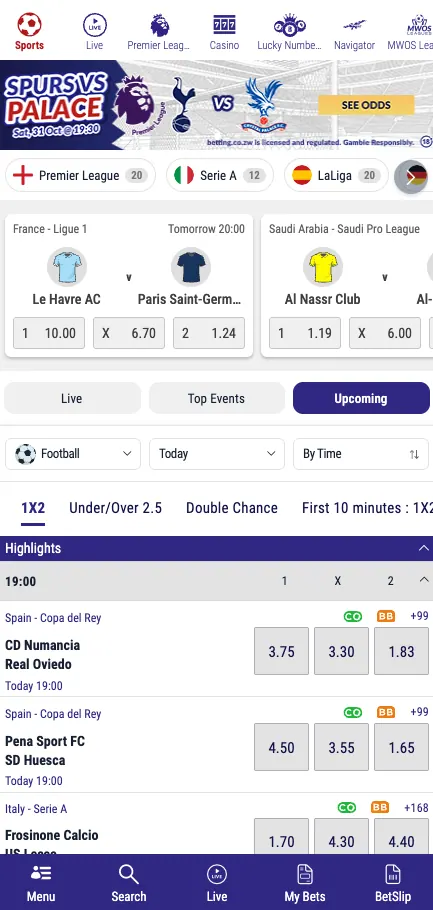
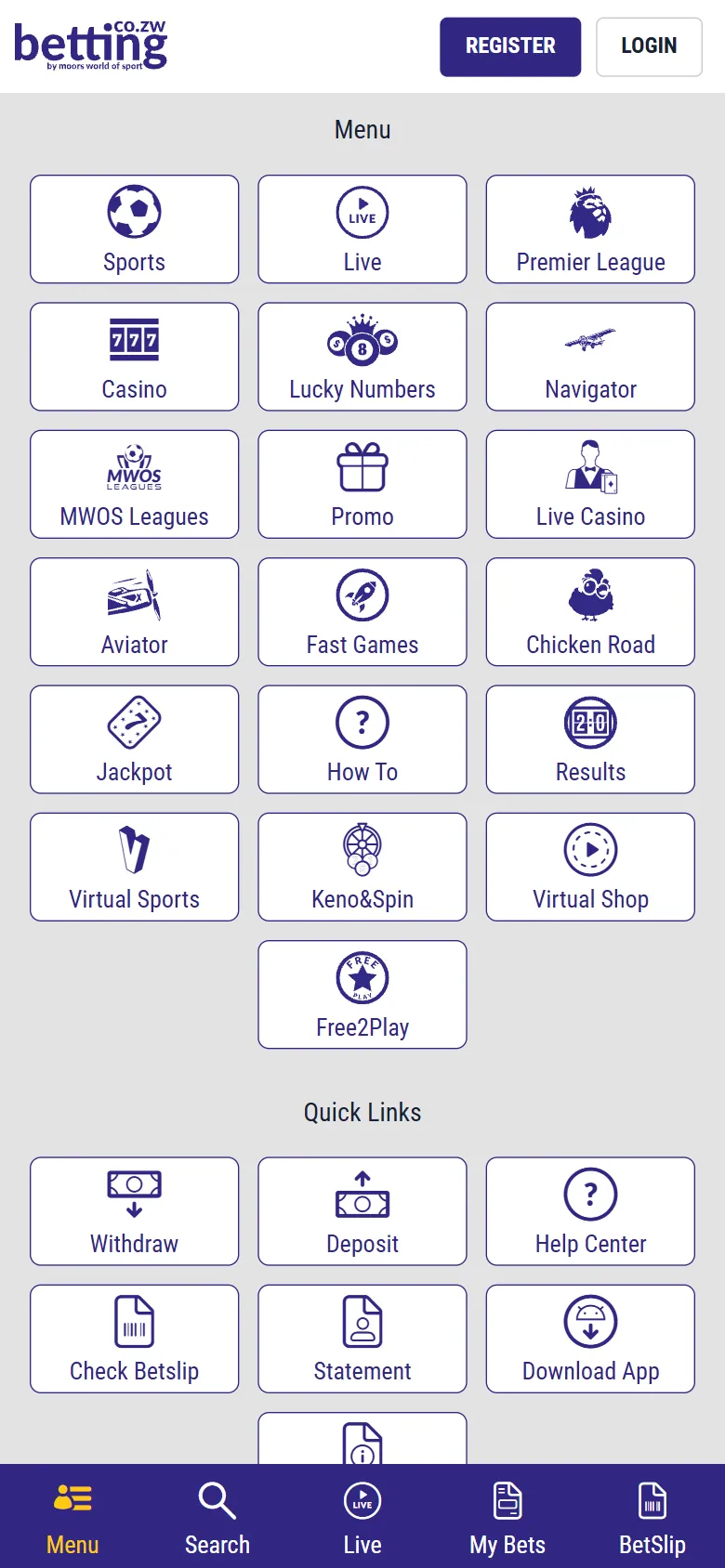
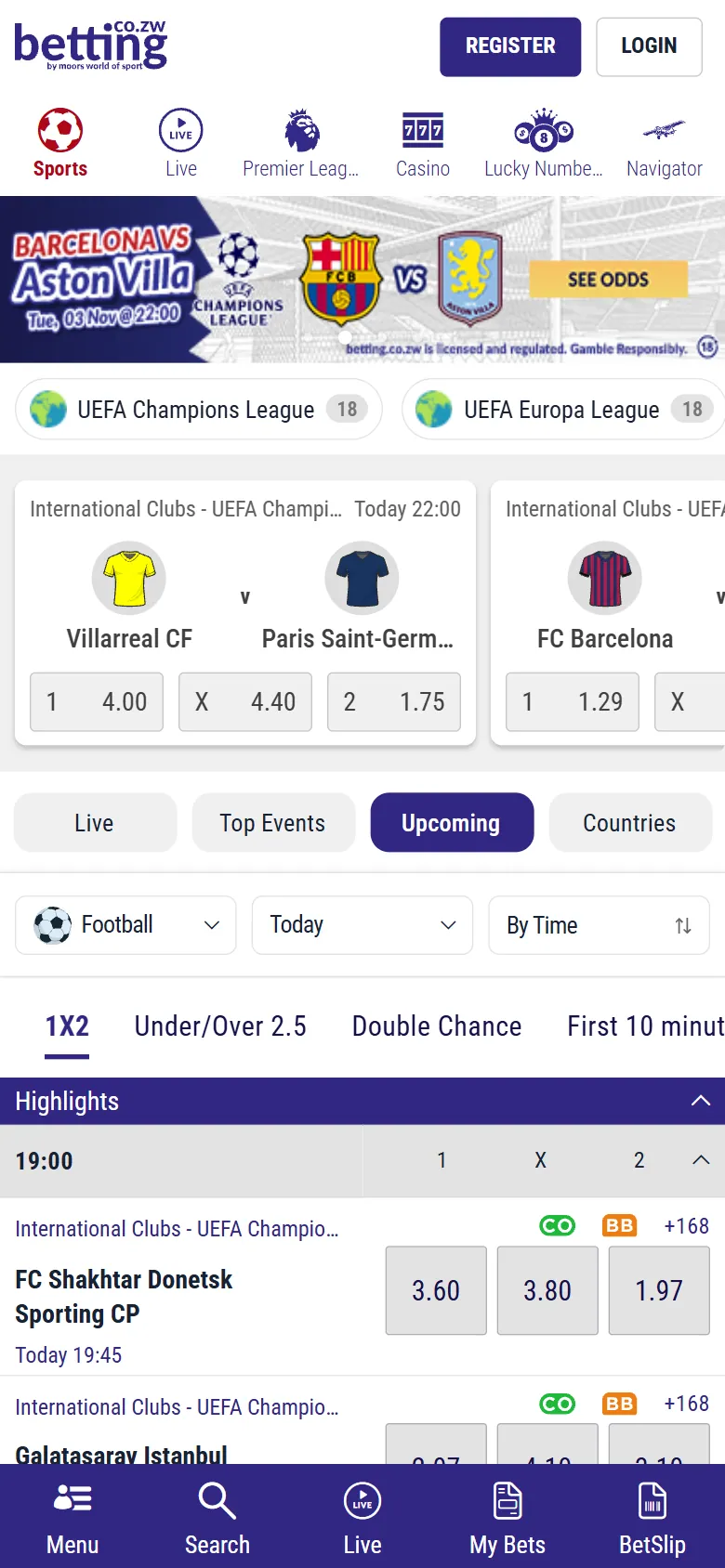
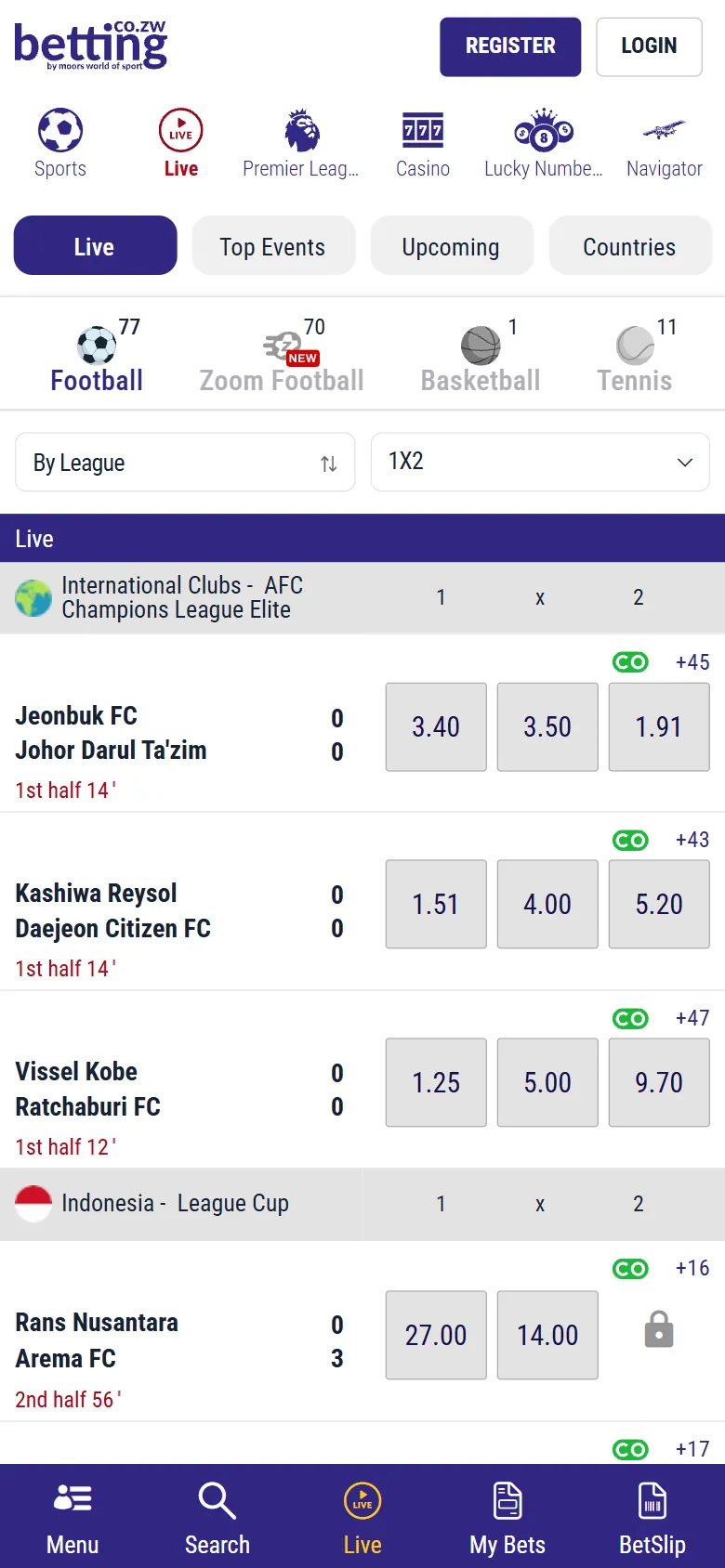
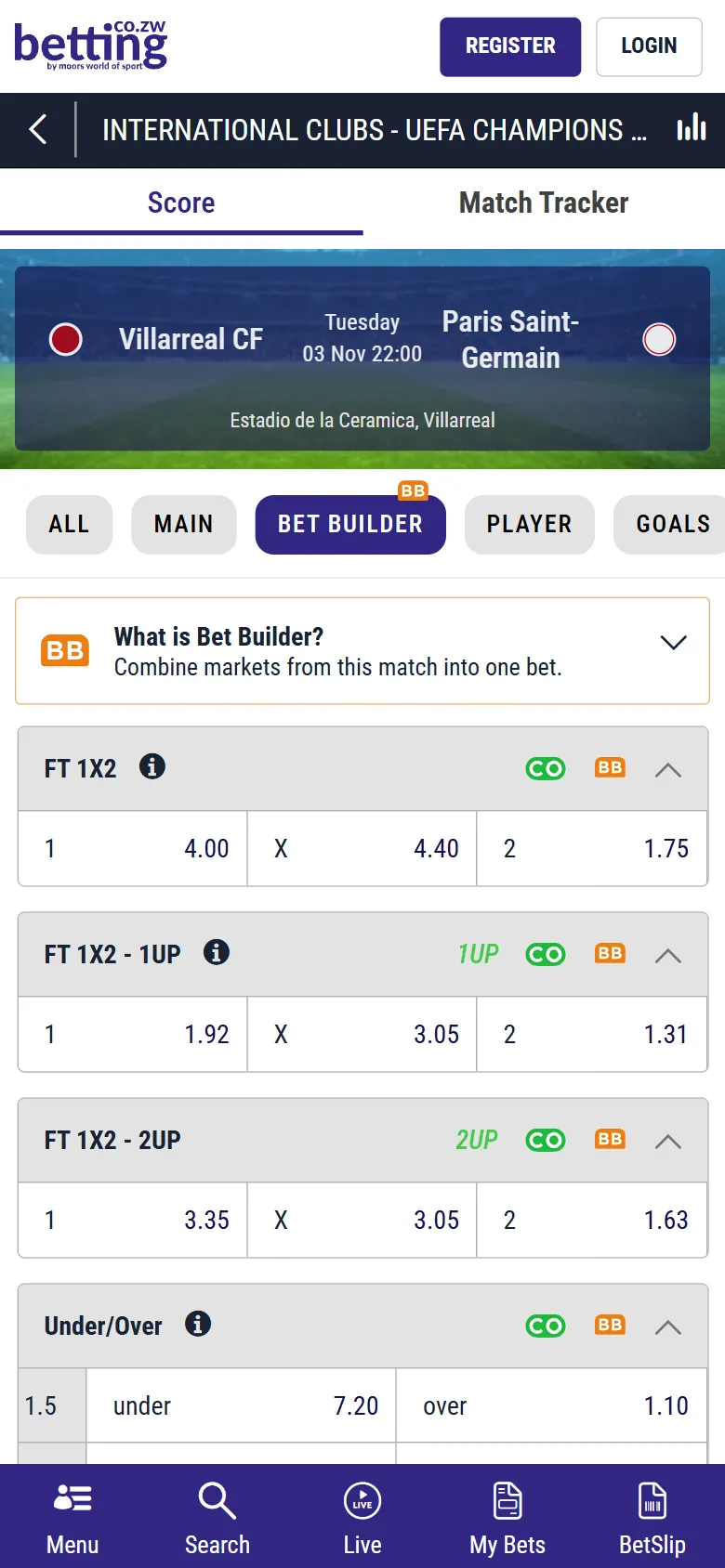
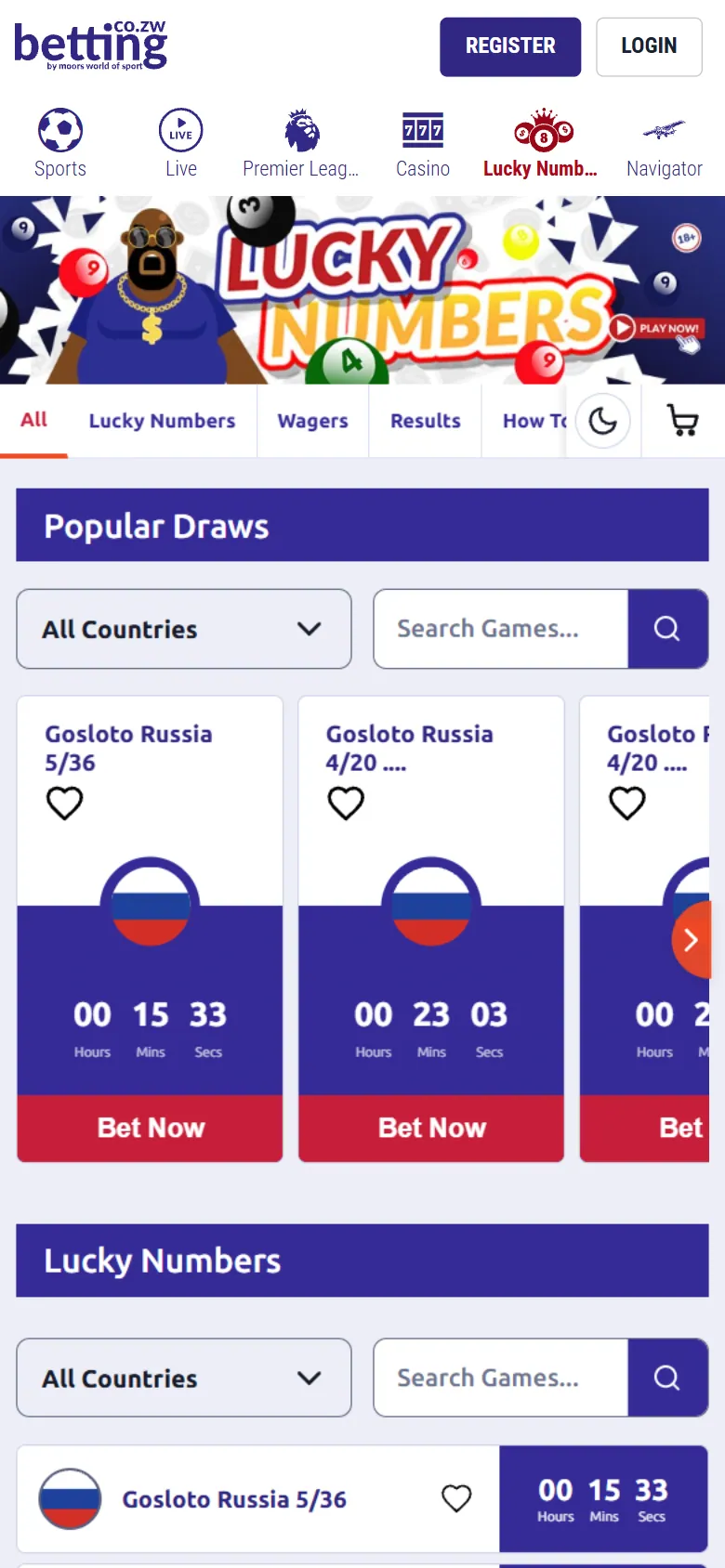
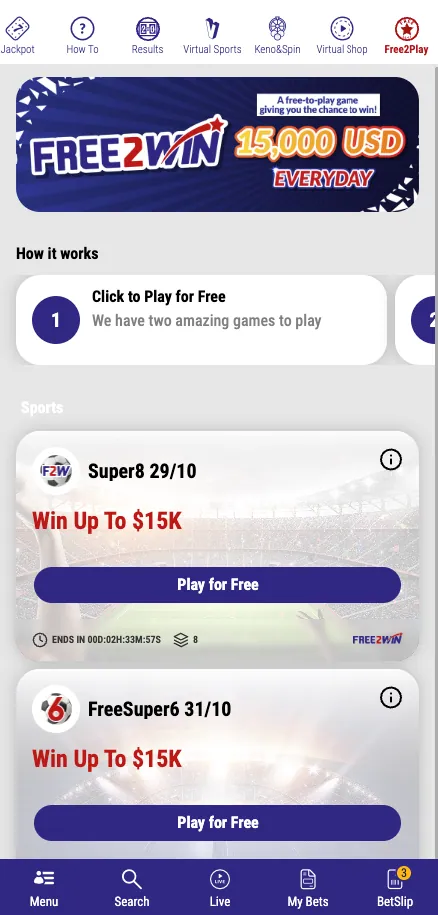
The app covers the same ground as the Moors World of Sport website, packed into a touch-friendly layout. Football, basketball, tennis and virtual sports sit in the top bar, and the bottom menu gives quick access to search, live events, My Bets and the betslip.
What the app offers
Live betting
In-play markets and live odds update on the screen without reloading the page.
Casino
Slots, table games and crash titles such as Aviator sit in the same app as the sportsbook.
Deposits and withdrawals
The cashier works inside the app, so there is no need to switch to a browser.
Notifications
Alerts about bet results, promotions and app updates arrive on the lock screen.
Biometric login
Fingerprint or face unlock is available on supported phones, once the account is verified.
Ticket check
Placed bets and shop tickets can be followed from My Bets.
What the app needs from your phone
The file is small, but a phone still needs the right conditions to run it smoothly. Android 8.0 or newer is recommended, and about 150 MB of free storage leaves room for updates. A steady connection matters more than speed: odds and the betslip refresh constantly, and a dropped connection can leave a bet unconfirmed.
- Permissions: the app asks for network access and, if you enable them, notifications. It does not need your contacts or messages, so be wary of any build that asks for them.
- Battery: live screens keep the display awake, so lower the brightness during long sessions.
- Data: a bet slip costs very little data; video-heavy screens and casino lobbies use more.
Checking that the file is genuine
A betting app holds your balance and your ID, so the source of the APK matters more than the brand name on it. The official download is linked from the site footer under Android, and it is the same file linked by the Download APK buttons on this page. A few habits protect you:
- Compare the size of the file with the 43 MB shown above. A file far from it is a reason to stop.
- Install nothing sent to you in a chat or social post.
- After installing, check that the app asks you to log in to the same account you use on the website.
- Use your own password and never save it in a notes app.
Using the app with a shop ticket
Paper tickets from a Moors shop can be looked up in the app with Check Betslip, which is useful when you want to see whether a retail bet has won without queuing at the counter. For tickets played online, My Bets shows the status and, where offered, the cash out button.
App vs Mobile Site
| Feature | Android app | Mobile site |
|---|---|---|
| Installation | APK file, about 43 MB | None, opens in the browser |
| Speed | Faster start from the icon, less to load each time | Depends on the connection and browser cache |
| Notifications | Push alerts on the phone | Limited; mostly none on iPhone |
| Data usage | Low, because the interface is stored on the phone | Slightly higher, pages load on every visit |
| Biometric login | Yes, on supported phones | No |
| Devices | Android | Android, iPhone, tablets, PC |
Updates, Old Versions and Mod Files
When a new version is out, the app or the website shows a prompt. Download the new APK from the same official page and install it over the old one; your account and bets stay untouched. There is no need to uninstall first.
Players often search for an old version or a mod of the file. Neither is a good idea. Old builds can stop connecting once the server changes, and modded APKs are repackaged by strangers: they may steal logins, read SMS codes or drain a wallet.
Use the official file only
Download the APK only from the Moors Betting website. Never install a mod, hacked or premium version, and never send your password or SMS code to anyone.
Common Problems and Quick Fixes
- The app will not install. Check that unknown sources are allowed for the app you used to open the file, and that the phone has enough free space. If the file was cut off, delete it and download again.
- "App not installed" message. Usually an older copy from another source is in the way. Remove it, then install the official APK.
- The app will not update. Download the latest APK and install it over the old version. A weak connection can corrupt the download, so switch to Wi-Fi if possible.
- Login does not work. Check the phone number or email, then reset the password from the login screen. Make sure the date and time on the phone are set automatically.
- Slow or frozen screen. Close other apps, clear the app cache in Android settings and restart the phone.
Final Word on the Moors Betting App
The Moors Betting mobile app is a user-friendly platform for sports betting and casino play. It runs smoothly on most Android devices, with quick loading, a simple design and low data usage.
Official file · Android 8.0+
Frequently asked questions
Where can I download the MWOS betting app?
The APK file is available from the Moors Betting website, via the Download APK button on this page. It is free and is not listed in Google Play.
Is there an MWOS betting app download for iOS?
No. There is no iOS app or iOS APK. iPhone users can open the mobile site in Safari or add it to the home screen as a PWA.
What is the latest version of the Moors Betting app?
The current version is 3.2.2 (43 MB), last updated on 03/11/2026. Download new builds only from the official page.
Can I use an old version or a mod APK?
It is not advised. Old builds may stop working and mod files are unsafe: they can steal login details and money. Use only the official APK.
Why does Android block the installation?
Because the file does not come from Google Play. Allow installs from unknown sources for your browser or file manager in Settings, then open the APK again.
How do I log in to the Moors Betting app?
Open the app, enter the phone number or email and password used on the site, and press Login. New players register first and can then use the same details in the app.
Does the app cost anything or use a lot of data?
Downloading and installing are free. Data use is low because the interface is stored on the phone; only odds and results are loaded.
Can I deposit and withdraw in the app?
Yes, the cashier is built in. Available methods are the Econet, NetOne and Telecel wallets.